Why agents need their own wallets
Most “agent wallets” are custodial — the provider holds the keys. The DIY alternative means bundler config, paymaster setup, and raw UserOperation construction before your first send.
Elytro wraps the entire ERC-4337 stack in a CLI. Three commands, fully self-custodial. No API keys. No vendor. Key lives in your OS keychain.
Install with your agent
Choose your agent in the tabs, copy the setup prompt from the corner, and paste it into your agent.
Read https://raw.githubusercontent.com/Elytro-eth/skills/main/elytro/SKILL.md and set up my elytro account step by step.I want to create and activate an elytro account on Arbitrum (with email 2FA and a daily spending limit).Do not skip the security setup — I want full protection.Uses the Elytro wallet skill: elytro/SKILL.md · Agent integration docs
Then ask your agent
After setup completes, use these follow-up prompts to create and deploy your wallet.
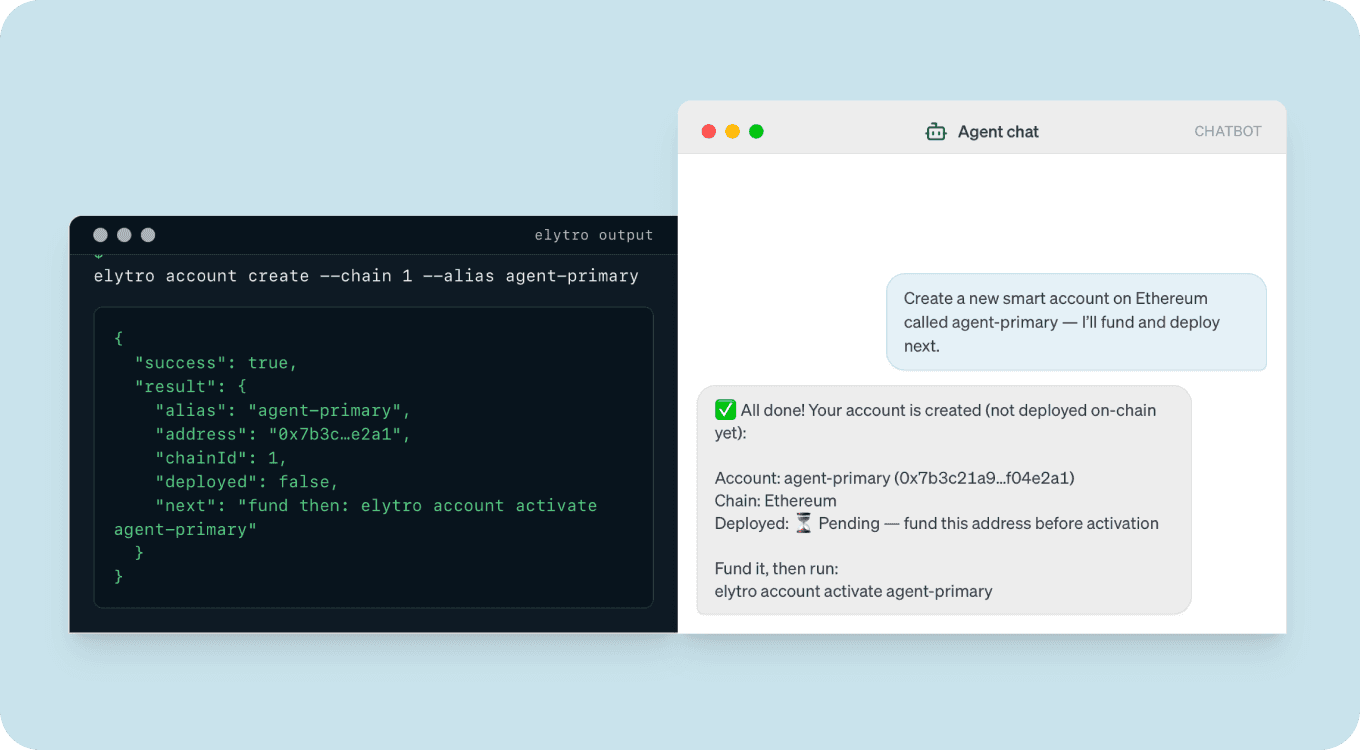
What address did Elytro assign to myWallet, and is it deployed yet? One short paragraph on why the address exists before deployment.
Check the native balance on myWallet. If it has enough to deploy (at least 0.001 ETH), activate it. Show me the full Elytro output before and after. Don't estimate the balance — use what the CLI reports.
Add security before going to mainnet
Your wallet is unprotected right now. Before using it with real funds, set up the 2FA hook and a daily spending limit.
Before you approve activation
- The address in
account infomatches what you funded. Double-check it character by character. - The
chainIdis what you expect — testnet vs. mainnet matters here. "deployed": falsebefore activation,trueafter. If it was alreadytrue, the account already exists — nothing to do.- The balance is enough. If funds run out mid-deployment, the transaction reverts and you lose the gas.
If something goes wrong
- Activation fails with “insufficient funds”: Run
elytro query balance myWallet, top up, and retry. - Wrong network / wrong chain ID: Stop. Re-run
elytro account create --chain <correct-id>with a new alias and fund the new address. - “Account already exists” error: The contract was already deployed. Run
elytro account info myWallet— it should show"deployed": true. Nothing to fix. - elytro: command not found: Your npm global bin is not on your PATH. Run
npm bin -gto find it, or usenpx @elytro/clias a temporary fix.
FAQ
account create. The contract code is written to the chain only when you run account activate. You can fund the address before activation — funds are safe because the address is deterministic.account create --chain <id> for each chain — the address will be the same because the CREATE2 salt matches. Activate each independently once funded.--chain 8453 for Base). Your vault key controls both. Start with testnet until you're confident in your setup.Next steps
- Set up 2FA and spending limits — protect the wallet before using it with real funds
- Fund and send a transaction — query balance, simulate, send
- Bridge and swap tokens — move funds across chains via LiFi
- Architecture deep-dive — ERC-4337, counterfactual deployment, paymaster, SecurityHook
- CLI reference — full command syntax